> ## Documentation Index
> Fetch the complete documentation index at: https://docs-agents.fpt.ai/llms.txt
> Use this file to discover all available pages before exploring further.
# FPT AI Console のご紹介
> 組織が自社の AI Agent チームを構築し、接続し、運用するためのプラットフォーム
Console は **Agent を構築し管理する人** のための画面です。ほかのメンバーが Agent と会話して仕事を進める場所は **FPT AI Workspace** で、ナビゲーションバーの **チャット** から開きます。
## Console とは
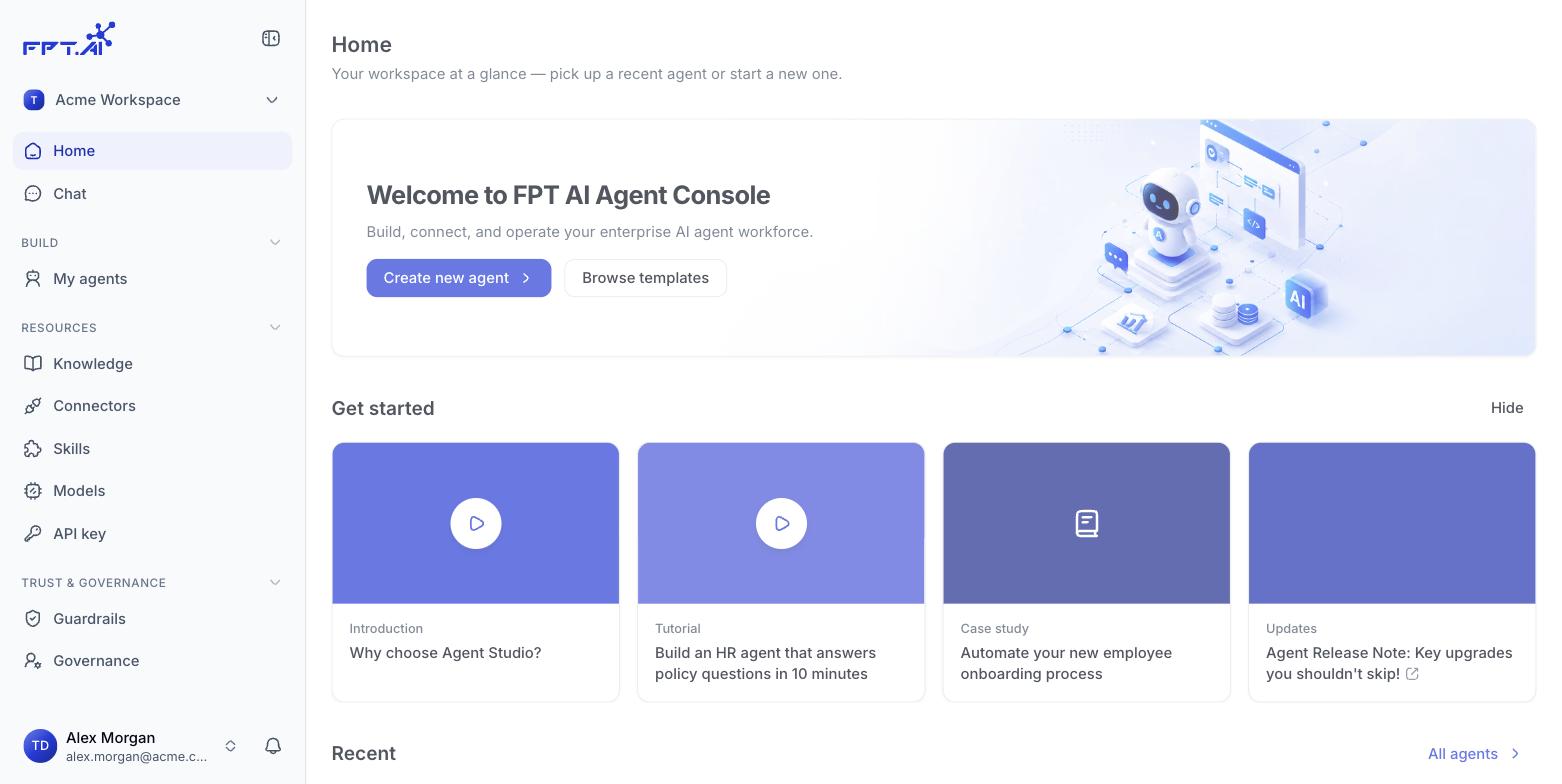
**FPT AI Console** は、組織が **自社の AI Agent チームを構築し、接続し、運用する** ための画面です。
FPT AI Agents は **エンタープライズ オペレーティング システム** として設計されています。人と Agent が 1 つのプラットフォーム上で、組織の共有ナレッジを使い、共通のルールのもとで働きます。Console は、その知識とルールを Agent ごとに定義する場所です。
 ## Console でできること
* **Agent を構築する** - 必要なことを自然言語で説明するか、用意されたテンプレートから始めて、ビルダーで仕上げます。
* **共有リソースを管理する** - ナレッジ、外部システムへの接続、再利用できる Skill、ワークスペース全体のモデルカタログ。
* **Agent を枠の中に収める** - ワークスペース全体の Guardrail、アクセス権限、監査ログ。
* **デプロイして監視する** - どのバージョンを公開するか、どこで動かすかを決め、公開後の振る舞いを確認します。
## Console を使う人
| 役割 | Console での仕事 |
| - | - |
| **Agent ビルダー** | Agent を作り、Instructions を書き、Skill と接続を付け、テストして公開する |
| **ワークスペース管理者と IT** | 共有リソース、権限、Guardrail、監査ログを管理する |
| **業務部門** | 自部門の業務に合う Agent を提案し、検証する |
エンドユーザーが Console を開く必要はありません。日々の仕事は **FPT AI Workspace** で Agent と進めます。
console-agents.fpt.ai/agents
This documentation is built and hosted on [Mintlify](https://mintlify.com), a developer documentation platform.
## Console でできること
* **Agent を構築する** - 必要なことを自然言語で説明するか、用意されたテンプレートから始めて、ビルダーで仕上げます。
* **共有リソースを管理する** - ナレッジ、外部システムへの接続、再利用できる Skill、ワークスペース全体のモデルカタログ。
* **Agent を枠の中に収める** - ワークスペース全体の Guardrail、アクセス権限、監査ログ。
* **デプロイして監視する** - どのバージョンを公開するか、どこで動かすかを決め、公開後の振る舞いを確認します。
## Console を使う人
| 役割 | Console での仕事 |
| - | - |
| **Agent ビルダー** | Agent を作り、Instructions を書き、Skill と接続を付け、テストして公開する |
| **ワークスペース管理者と IT** | 共有リソース、権限、Guardrail、監査ログを管理する |
| **業務部門** | 自部門の業務に合う Agent を提案し、検証する |
エンドユーザーが Console を開く必要はありません。日々の仕事は **FPT AI Workspace** で Agent と進めます。
console-agents.fpt.ai/agents
This documentation is built and hosted on [Mintlify](https://mintlify.com), a developer documentation platform.