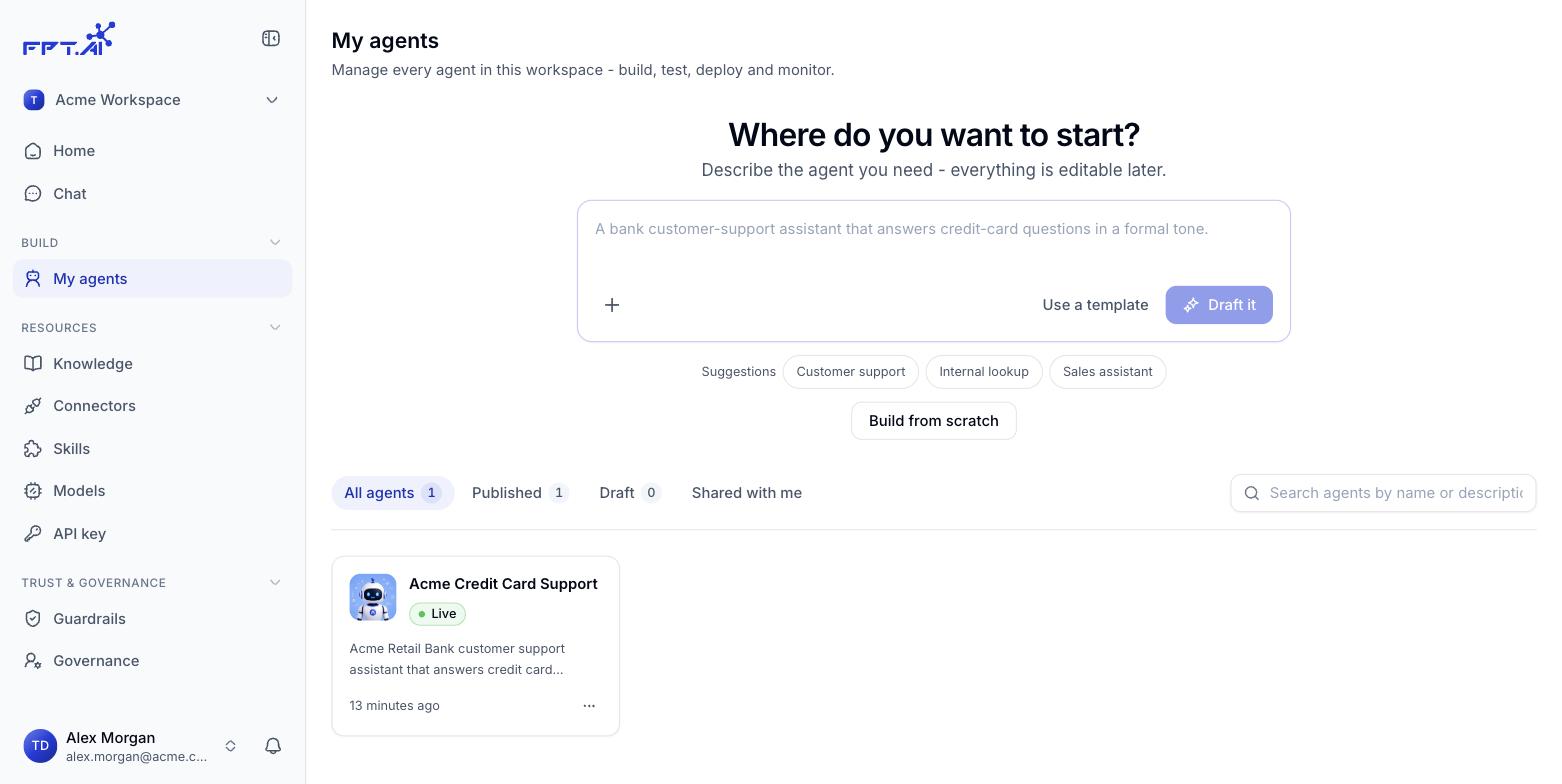
Open My agents under Build in the navigation bar to see every agent in the workspace - this is where you keep track of which agents are serving, which are still drafts, and where you act on each one. Agent list

Filter by status

Four tabs sit above the list, each showing how many agents it holds:
An empty Shared tab simply means no workspace has shared an agent with you yet.
The search box to the right of the tabs matches agent names and descriptions. Results filter within the tab you currently have open.

What an agent card shows

Click a card to open the agent’s detail page.

Quick actions on an agent

Click the ⋯ button in the bottom right corner of any card:
Think twice before you Delete - unpublish the agent first and check that nobody is still using it.