
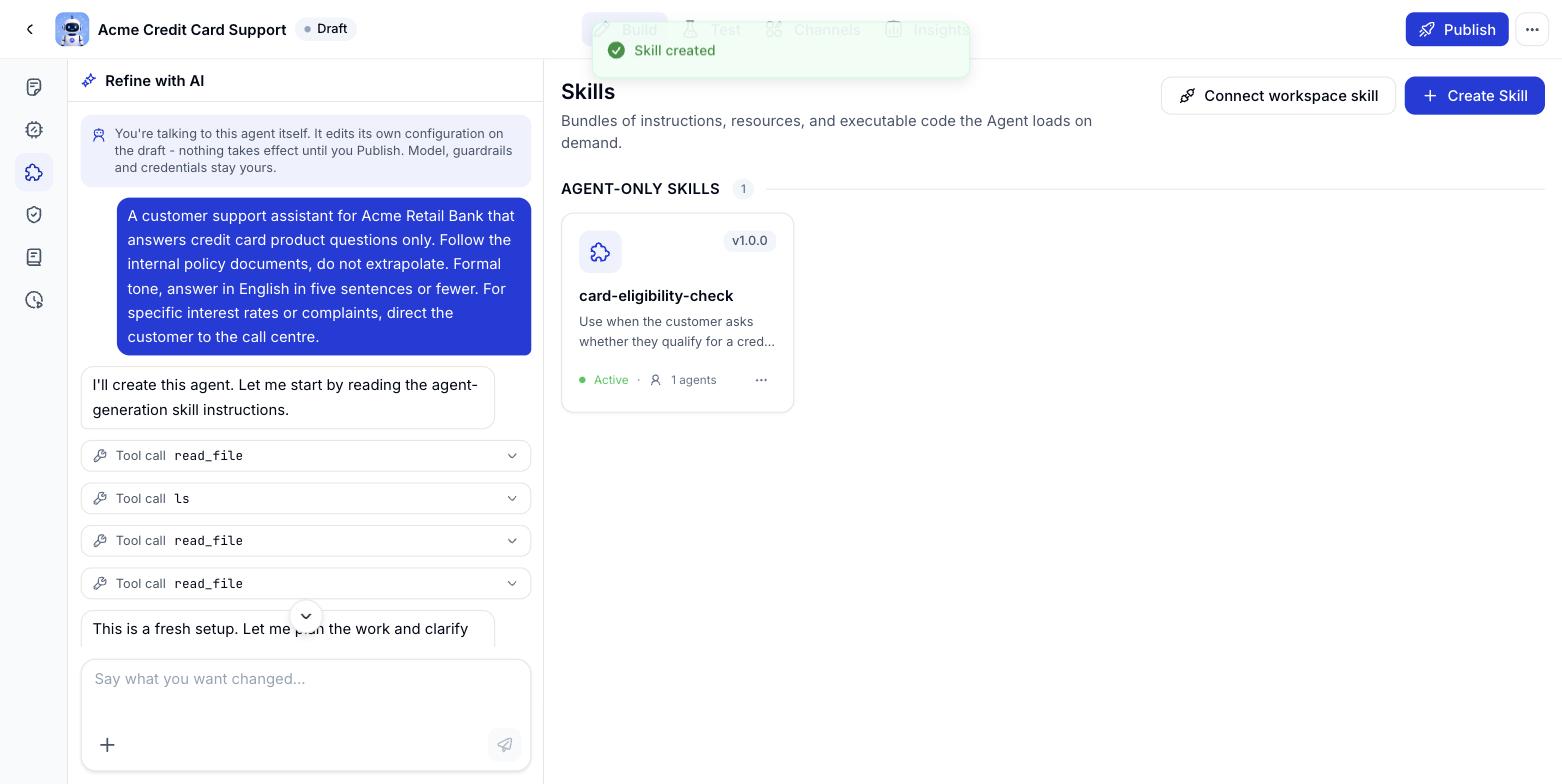
Two kinds of skill
Every skill carries a version number and an on/off state, along with how many agents are using it.
Adding a skill to an agent
- Create skill - write a new skill for this agent alone.
- Connect workspace skill - pull in one that already exists in the workspace.
- Ask the assistant - describe the work that keeps repeating, and it proposes a matching skill for you to approve.
Editing, deleting and switching skills off
1
Edit a skill
Click a skill card in the list to reopen the form - change the Name, Description, Skill type or Icon, or review the SKILL.md file tree and everything shipped with it. If other agents are using the skill, Console warns you first: “This skill is used by N agents - changes will affect all of them.”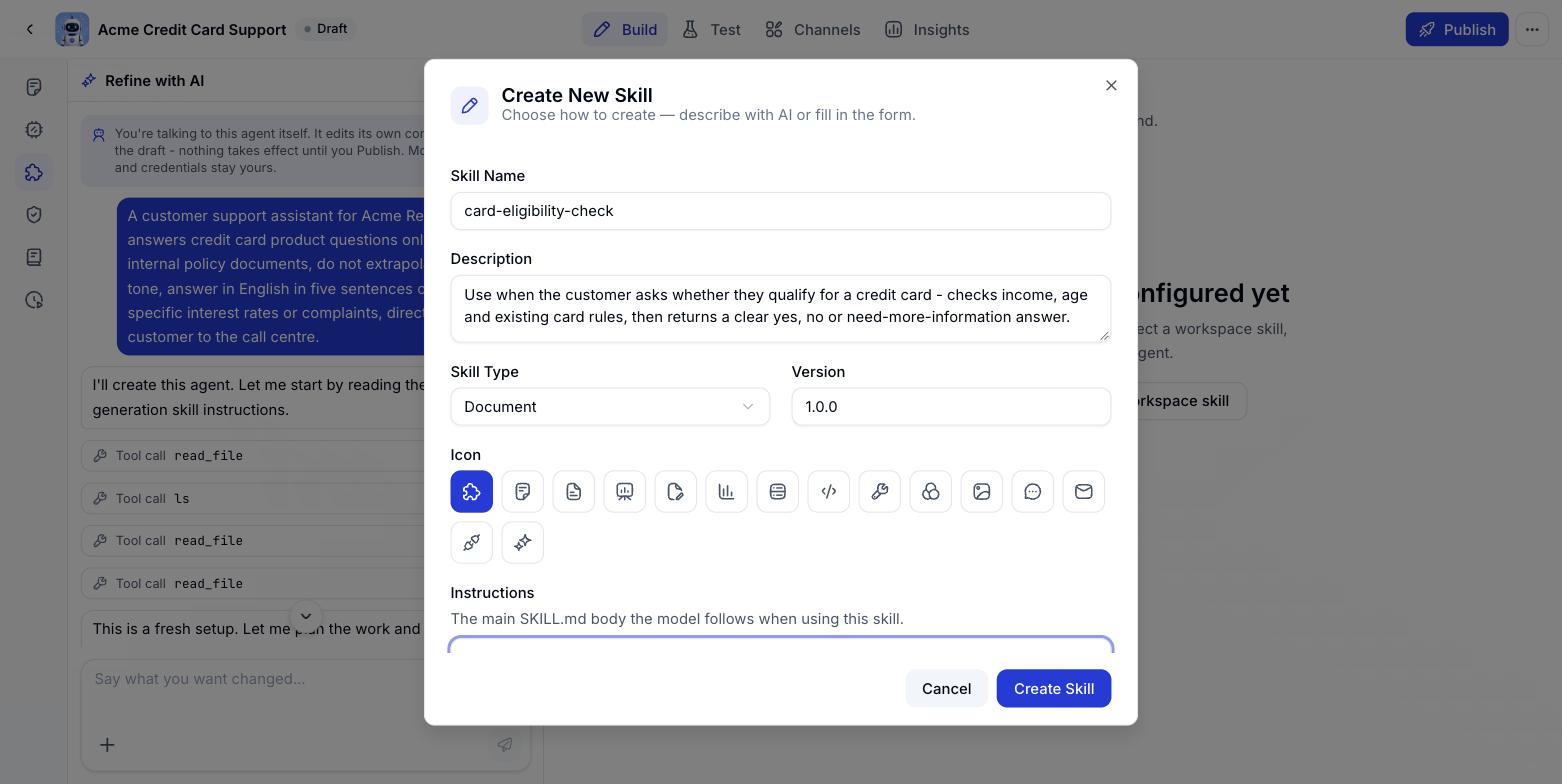
2
Remove a skill from the agent
Click the bin icon next to the skill name. For an agent-owned skill, removing it deletes it outright. For a workspace skill, removing it here only unlinks it from this agent - the original stays in the workspace and other agents carry on using it.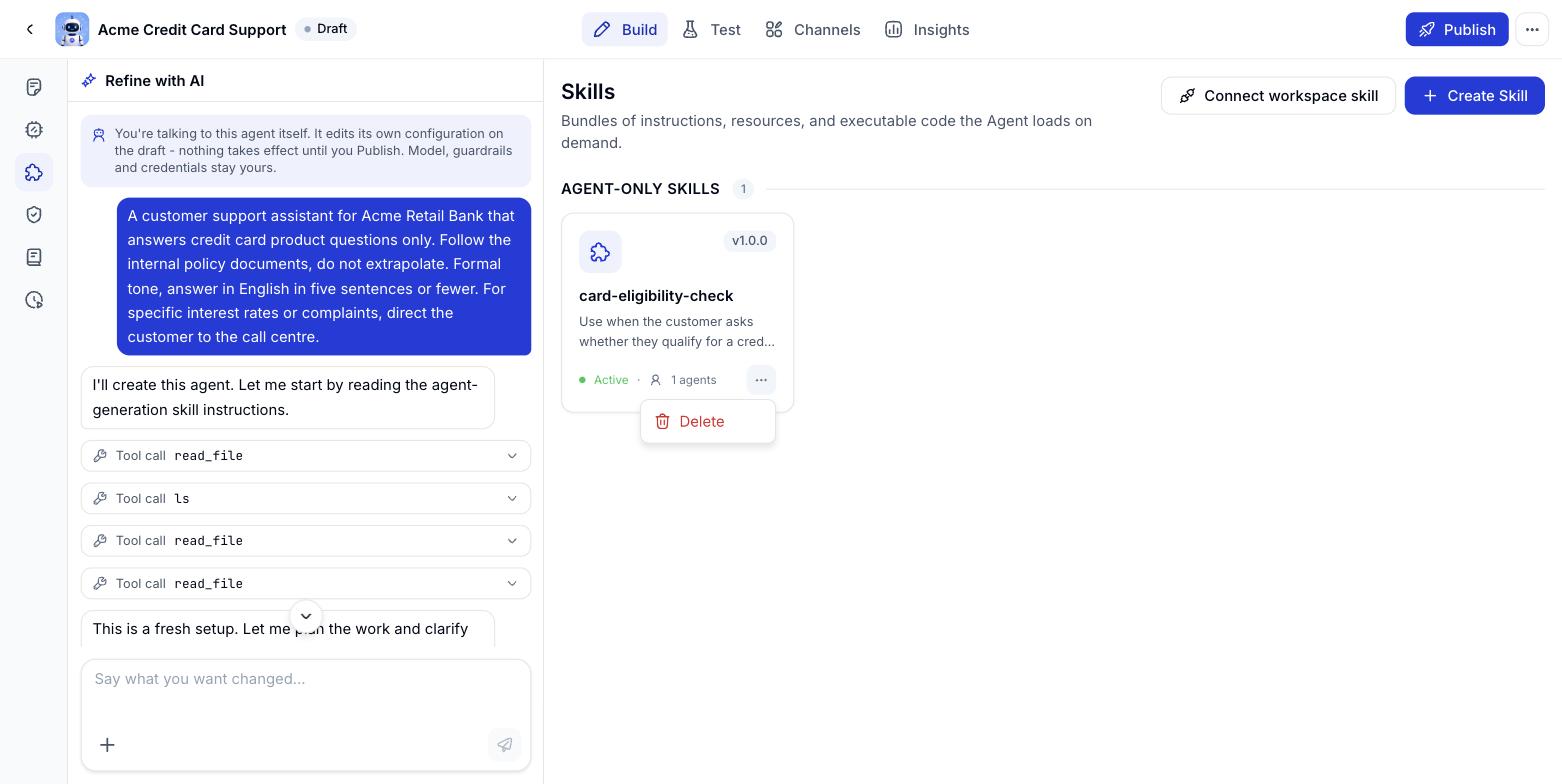
3
Switch a skill on or off
Workspace skills only. Go to Resources > Skills, find the skill and flip the Enabled switch off. Switching it off makes it unavailable to EVERY agent that has it attached, not just the one you are looking at - use it when you want to pause a skill without throwing away its configuration.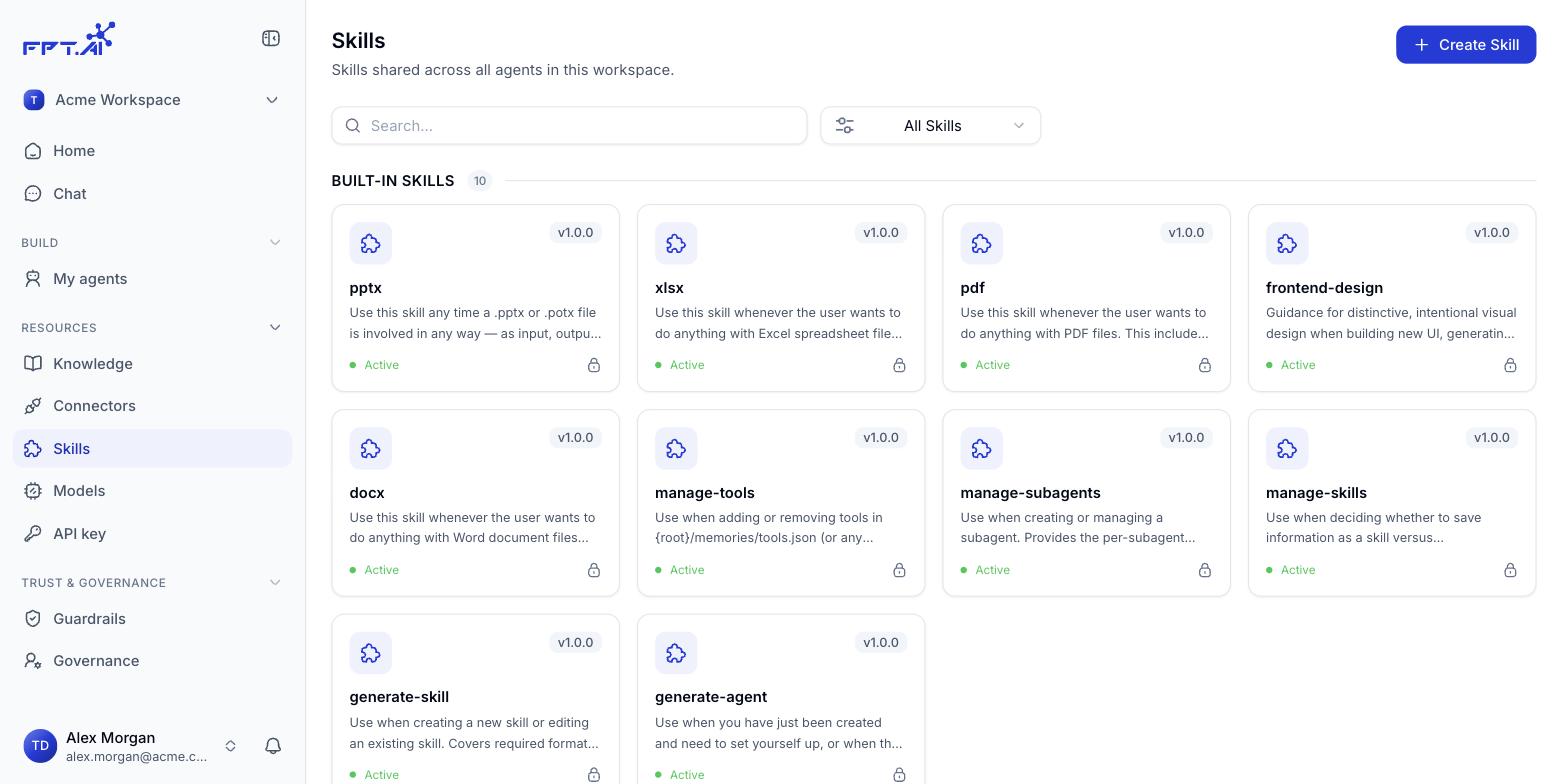
Agent-owned skills - the ones created inline while building an agent - have no on/off switch. They can only be edited or deleted outright.
Uploading a skill from a file
Instead of writing one out in the form, you can upload a skill prepared elsewhere - handy when it was authored outside Console, shared between teams or kept in git. Console accepts three formats: .md, .zip and .skill (a.skill file is really just a zip with a different extension).
.md - instructions only
Use this when the skill is plain text guidance with nothing attached. The file has to open with a YAML block between two--- lines:
SKILL.md
Everything below the YAML block is the Markdown guidance itself - what the agent reads and follows once the skill fires.
.zip / .skill - a skill with resources
When a skill needs reference material, runnable code or template files, package it all into a zip. The only rule the system enforces: there must be aSKILL.md at the root of the package. How you arrange the rest is up to you, though the convention below helps the agent find its way:
SKILL.md, with buttons to view the contents and download the package.
A package keeps every file type
When you upload a .zip or .skill package, nothing inside is filtered out by format. The agent can read binary files that travel with the package, so a skill can carry an Excel template, a PDF, an illustration or a sample data file and use them while it runs.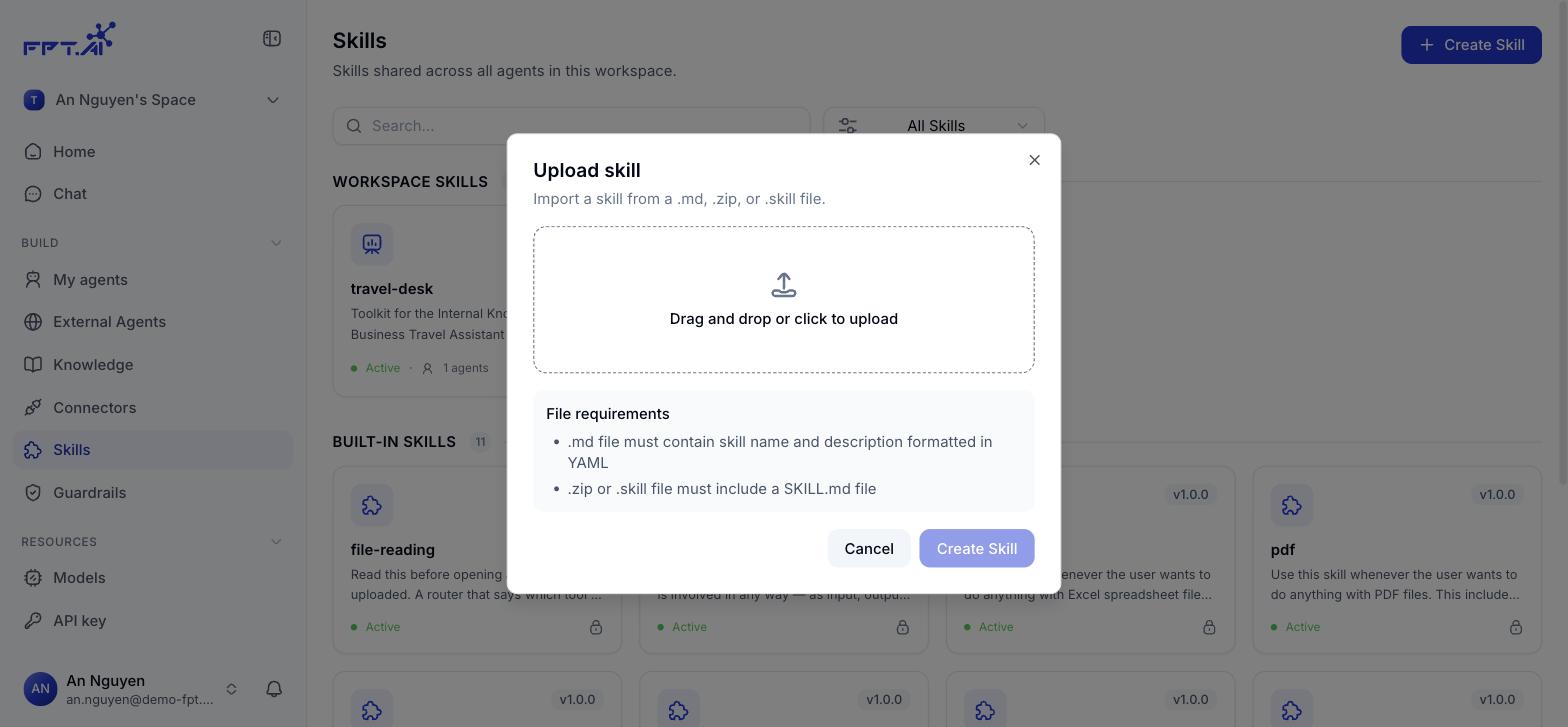
.skill is just a zip with a different extension, so both formats are packaged exactly the same way.
Why split it up instead of putting everything in SKILL.md
The agent does not load the whole package into context on every run. It reads in three tiers:1
Read the description
The description line is always in context. The agent uses it to decide whether the current request needs this skill at all.
2
Load SKILL.md
Once the skill fires, the full set of instructions in SKILL.md is loaded.
3
Open attached files on demand
Files under references/, scripts/ and assets/ are only read or run when SKILL.md points at them.
SKILL.md short - the procedure, the stopping conditions and the paths to the detail - and push the long material into references/.
Example: a debt reconciliation package
At the end of every month, accounting has to reconcile bank statements against the debt tracker on SharePoint and produce a report for the department head. The process is fixed, but it runs to many steps and leans on a long table of matching rules. Packaged up:
When an accountant types “reconcile August debt”, the agent recognises it from the
description, loads SKILL.md, runs reconcile.py, opens matching-rules.md only when it hits a mismatch, then builds the report from report-template.html.
Keep skill names lowercase and hyphen-separated -
email-triage, debt-reconciliation - and matching the root folder inside the zip. Names with spaces or accented characters tend to break when the agent calls the skill.A skill is worth splitting out when it has a clear procedure and gets used repeatedly - summarising a recurring report, say, or triaging incoming email. Something you do once is tidier left in the Instructions.